Enhancing Tax Analysis
Led end-to-end design for an AI-assisted tax analysis tool — from discovery and research through production handoff.
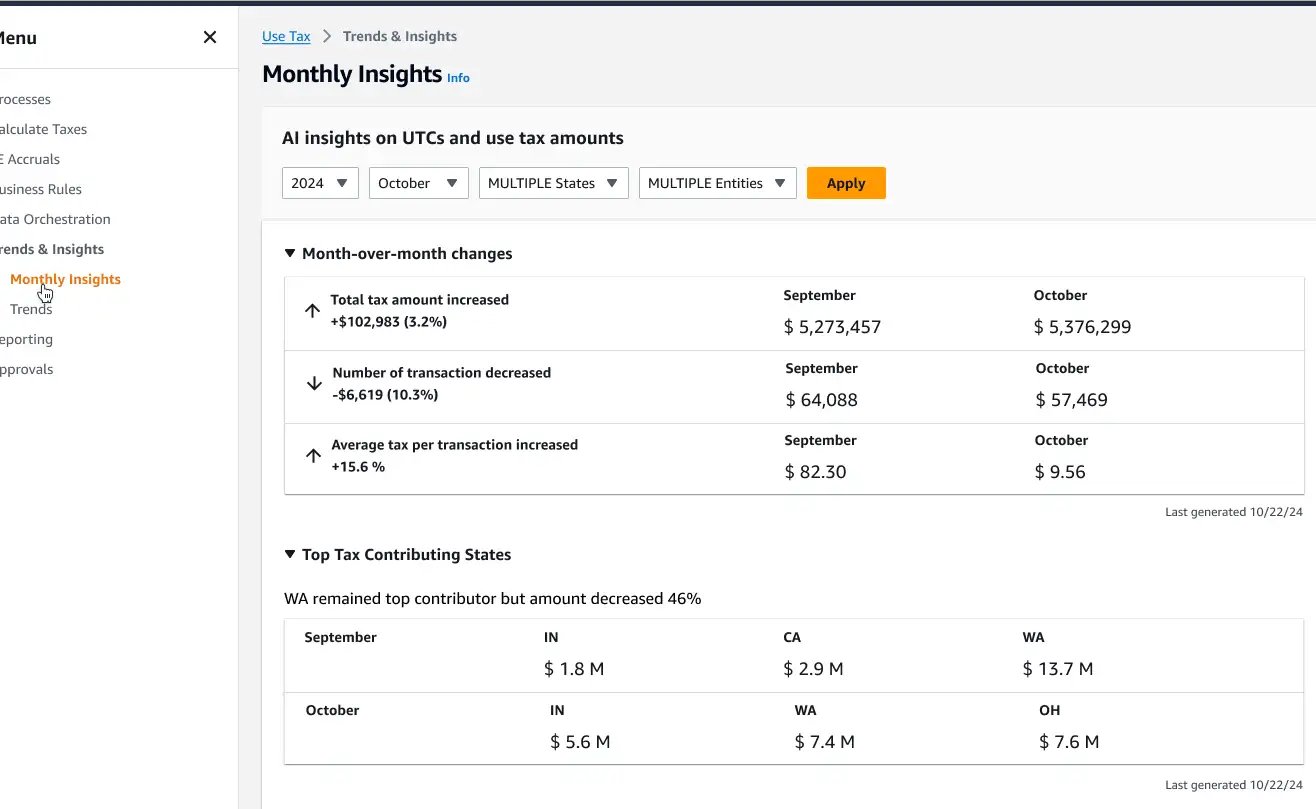
Tax teams were spending 4+ weeks per cycle on manual analysis with no real-time visibility into risk. I designed an AI-assisted insights layer that surfaced trends and anomalies — reducing manual effort and enabling faster, more confident decisions.
Confidential
Details have been intentionally abstracted to protect confidentiality. The case focuses on design approach, decision-making, and outcomes.
SUMMARY
Business challenges
Primary Users
Tax analysts
Tax & finance managers
Impact
Shipped AI-assisted analysis to improve decision-making and planning speed
01
Bridged business and technical teams
Translated ambiguous requirements into a shared framework that both product and engineering could act on.
02
Early validation of complex logic
Surfacing data requirements during design helped identify potential compliance or technical risks before implementation.
03
Increased transparency and trust
High-fidelity prototypes let stakeholders experience features before build, reducing engineering rework and enabling earlier risk detection.
Role & Team
Partnered with the product team, maintaining ownership over interaction and experience design of application features.
Role
End-to-end research & workflow definition
Interaction design & UI
Stakeholder alignment via iterative prototypes
Partnered with 12+ product teams
Each Product Team
Product Manager / Product Owner
Lead Engineer
2–3 Development teams
2–3 QA Engineers
DISCOVERY
Defining context & problems
Gaps Identified
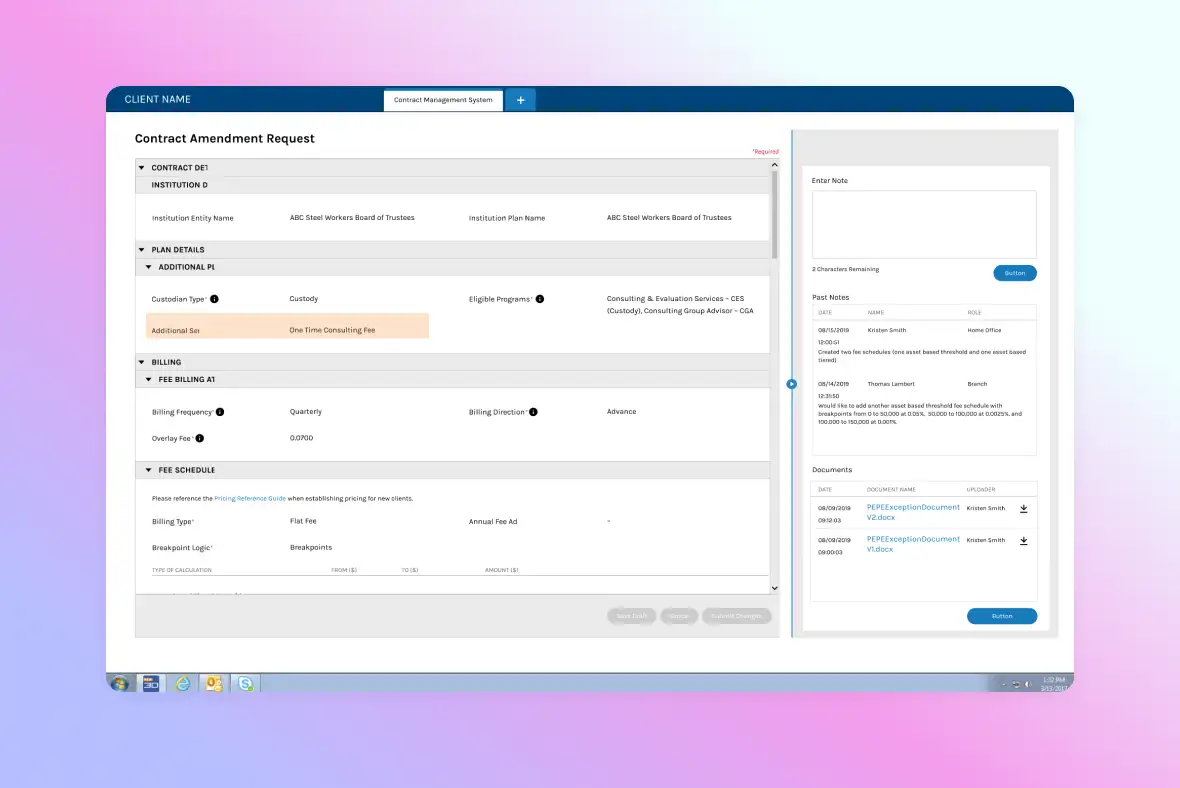
Product requirements were defined during sprint planning without deep user insight.
Pressure to deliver AI-driven initiatives before the team understood how tax analysts actually worked.
Discovery Methods
Asked questions to understand past product decisions and build context on the product's history.
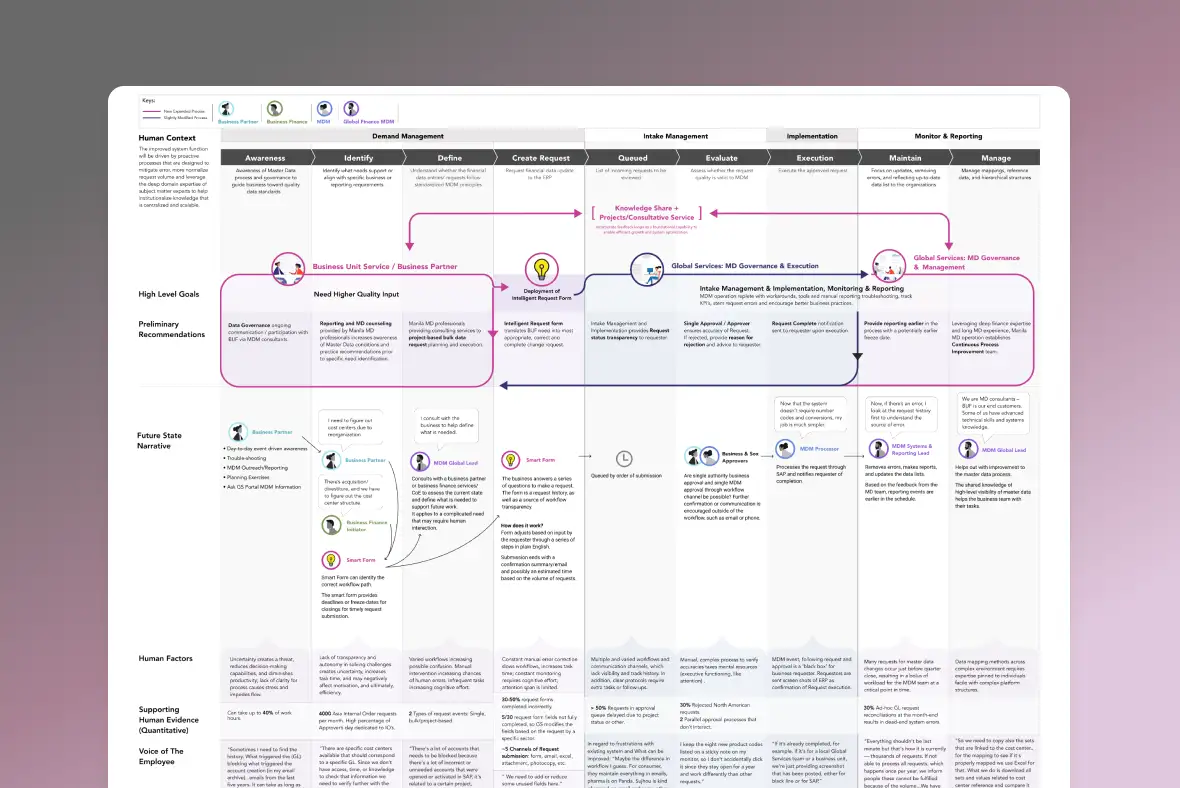
Interviewed tax analysts and managers to map their analysis workflows end to end.
Reviewed implemented designs with tax team members to identify friction points in the existing experience.
Key Insights
Analysts spent 3–10 weeks manually compiling analysis — a significant burden for small, high-concentration teams with limited bandwidth.
Real-time visibility into tax anomalies and trends was lacking, increasing the risk of reporting errors.
Users expressed a clear desire to query specific trends, risks, and insights through a conversational AI interface.
DESIGN
Exploring solutions
Creating design options to surface insights & trends, incorporating AI.
Activities
Ideating and prototyping to review feasibility
Presenting and testing concepts with target users
Gathering feedback and iterating.
Constraints
Existing layout and information architecture.
Established design system components.
Engineering capability per build cycle.
Iteration 1
TECH CONSTRAINT
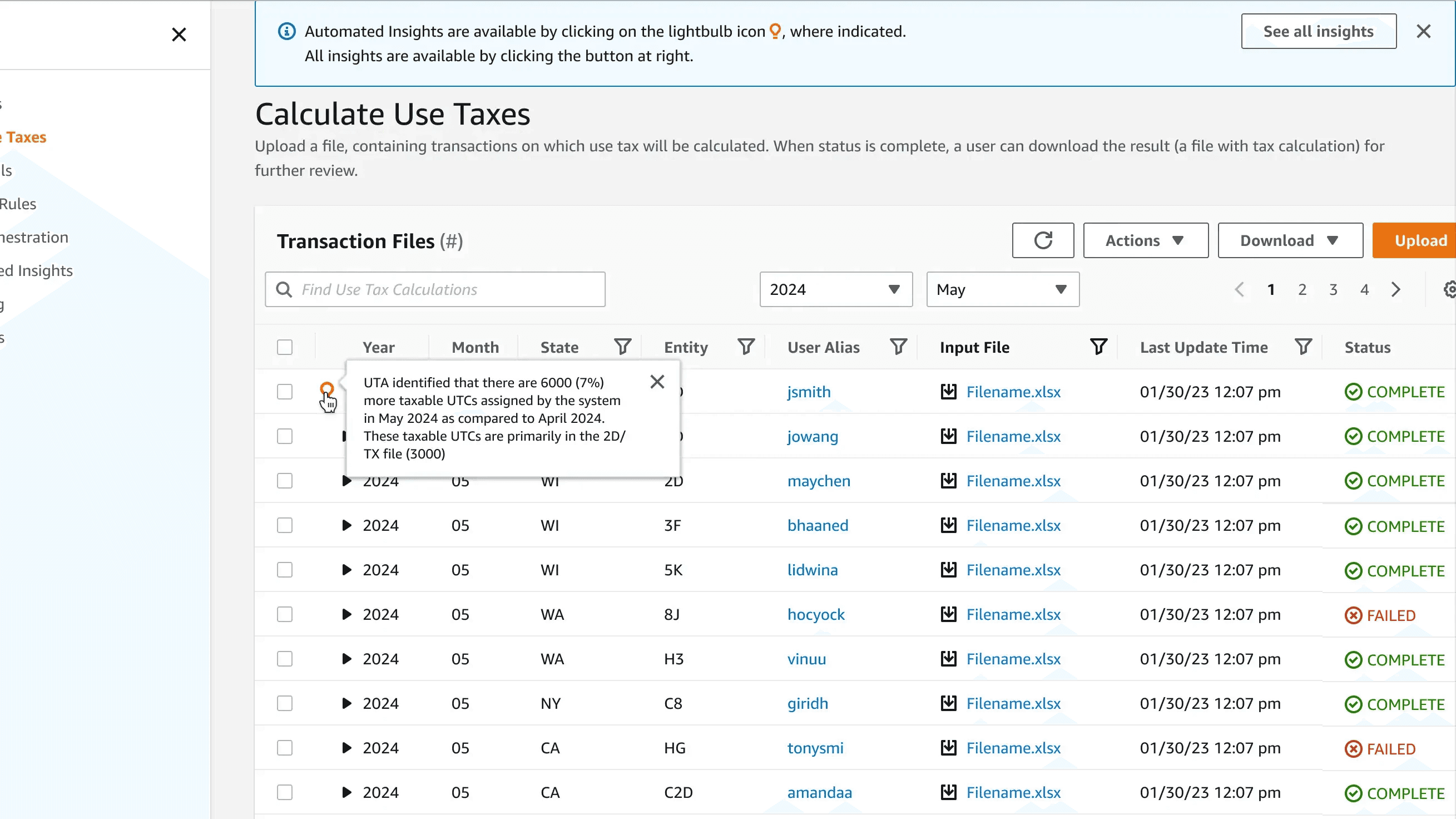
Automated insight generation would take hours to a full day — real-time interaction wasn't feasible for the initial build.
DESIGN RESPONSE
Surfaced an alert and insight availability notification on the main dashboard.
DESIGN CONSTRAINT
Limited screen space allowed only a quick summary view.
DESIGN RESPONSE
The summary served as an entry point; user interest would lead to a full detail view.
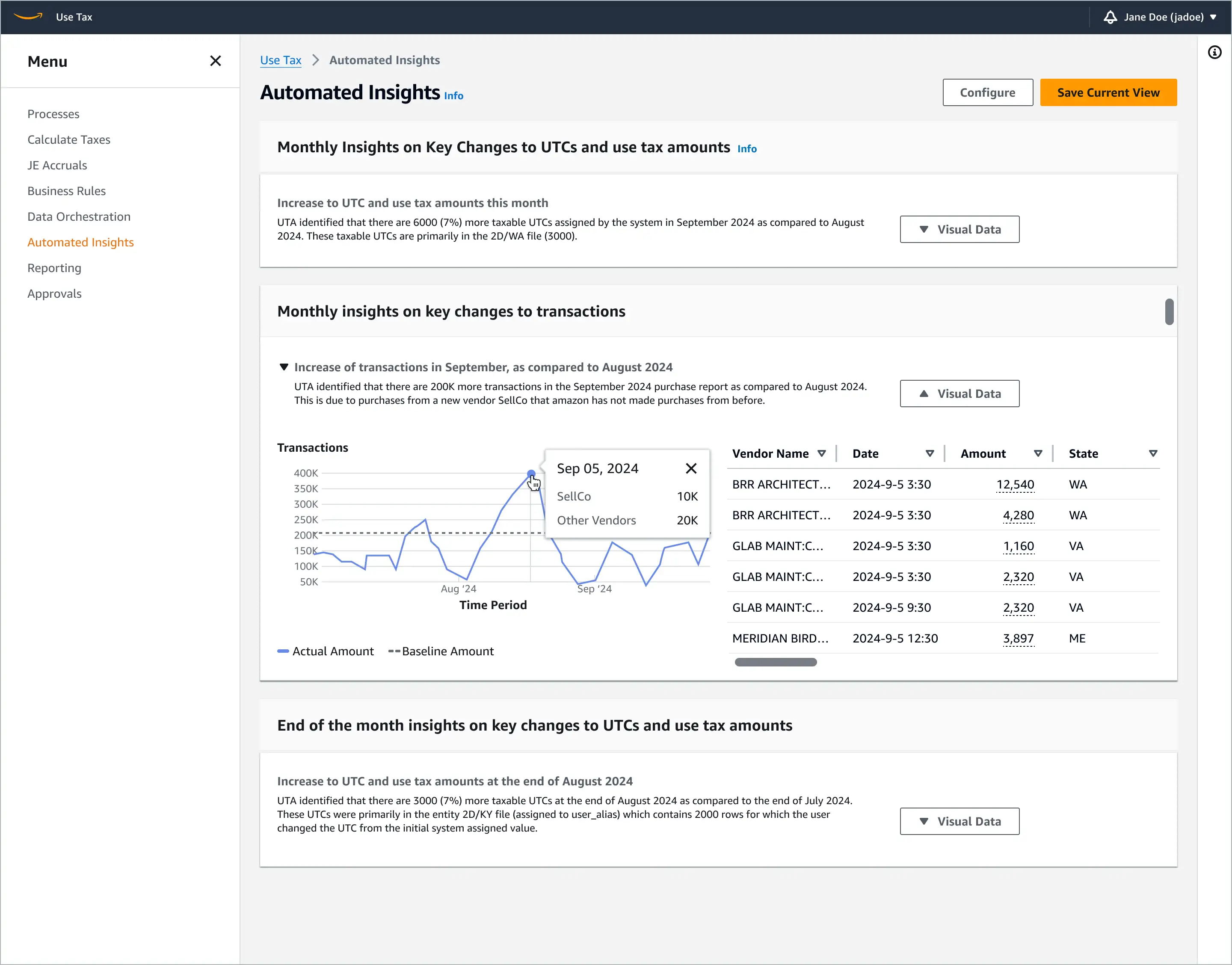
DESIGN CONSIDERATION
What if users want to configure a default insights view?
DESIGN RESPONSE
Added a "Configure" option to allow users to set their preferred default.
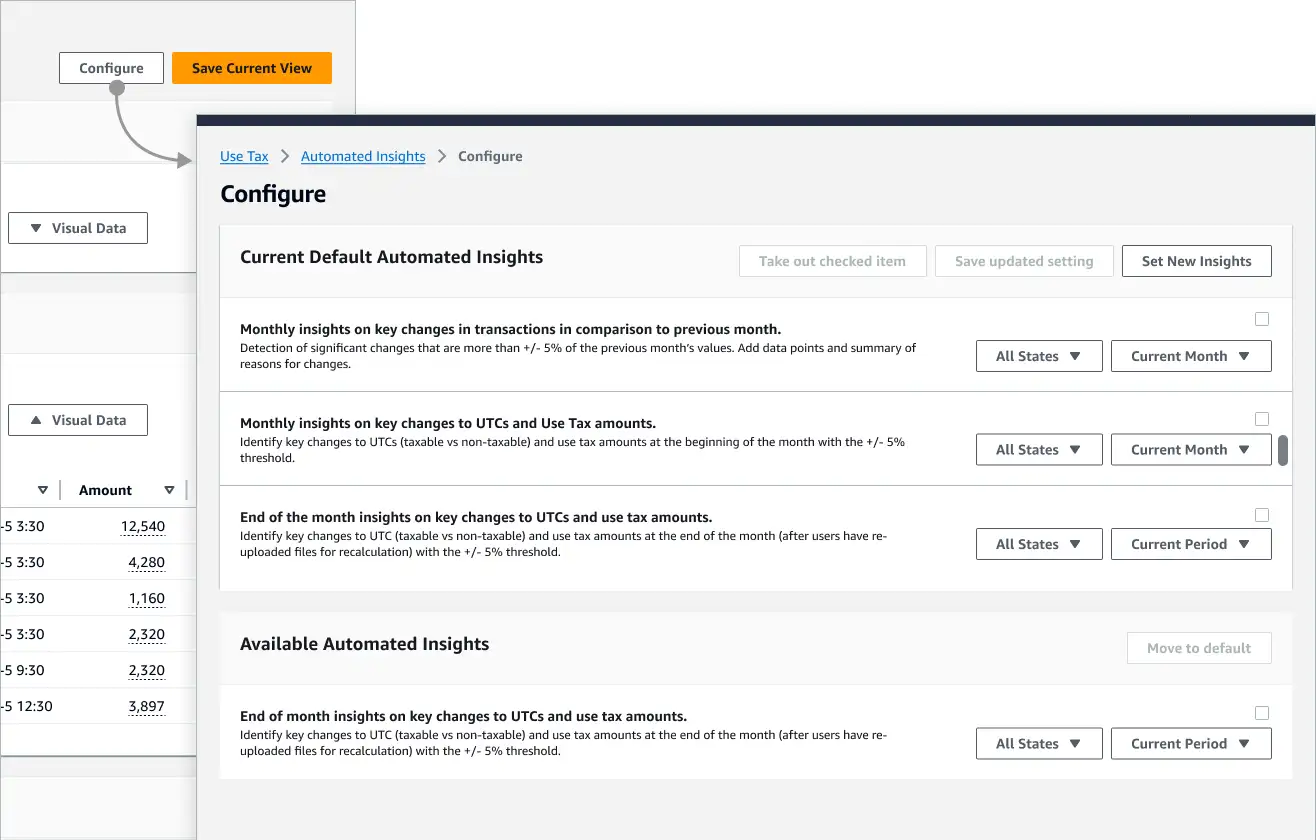
Iteration 2
TECH CONSTRAINT
Only text generation was feasible for the initial build.
DESIGN RESPONSE
Dense text risked burying key information. Tested short bulleted content with numbers; moved settings out of the "Configure" button to improve visibility.
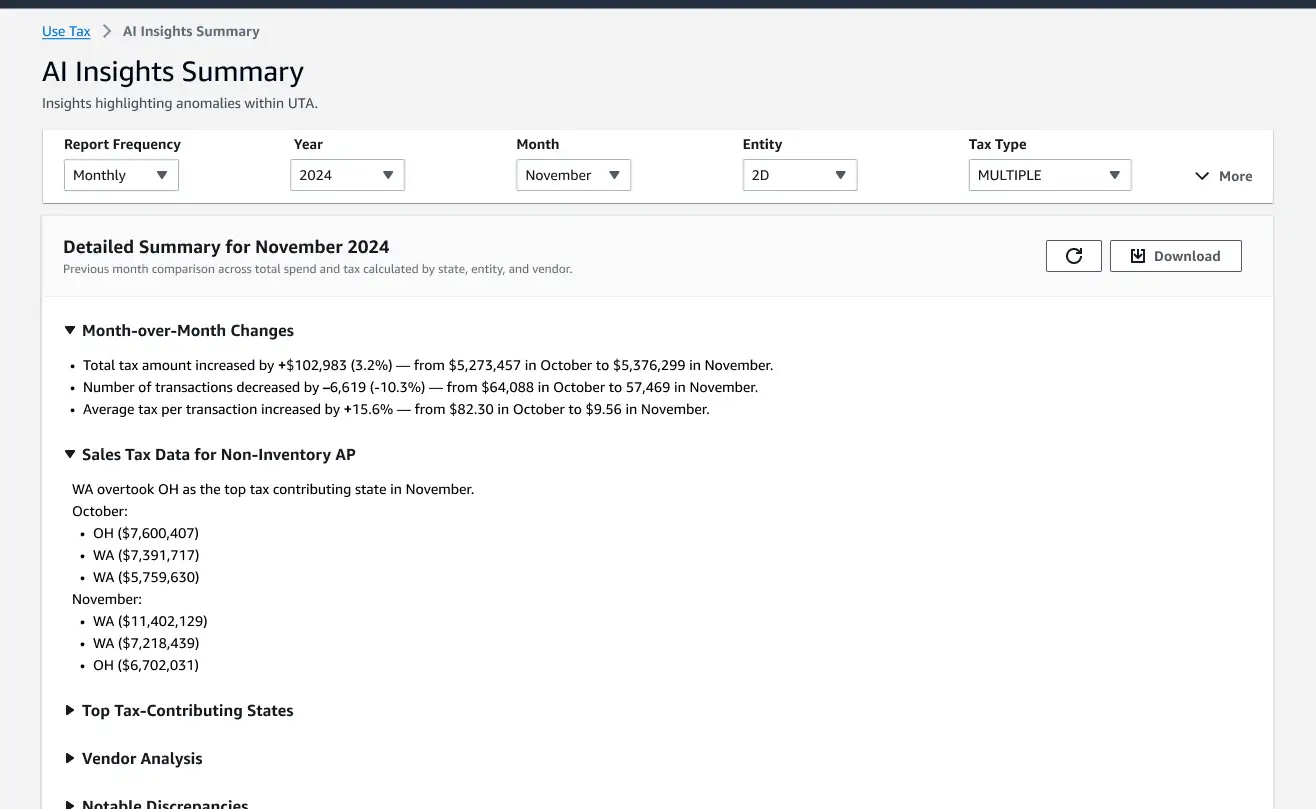
USER FEEDBACK
Text-only or bulleted content still felt too abstract.
DESIGN RESPONSE
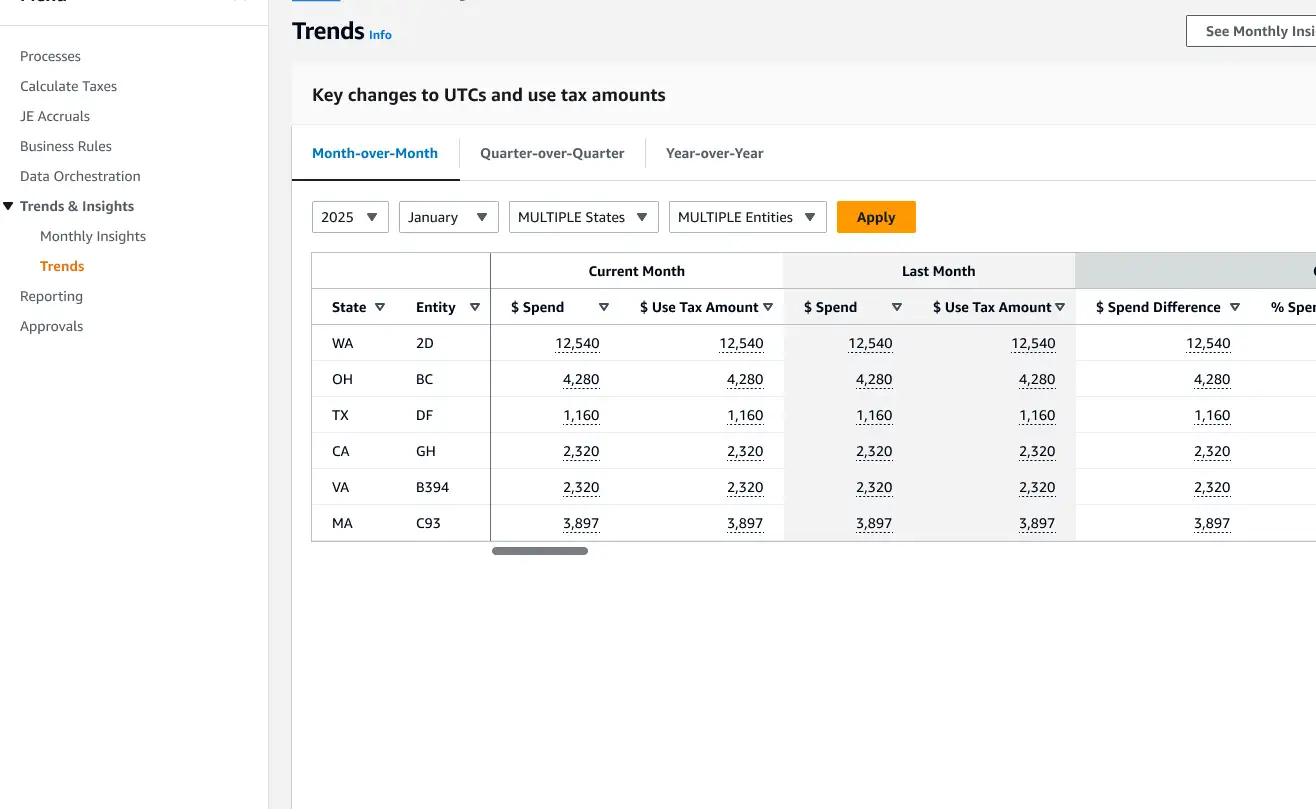
Since numbers are easier to scan, tested a table format to improve at-a-glance comprehension.
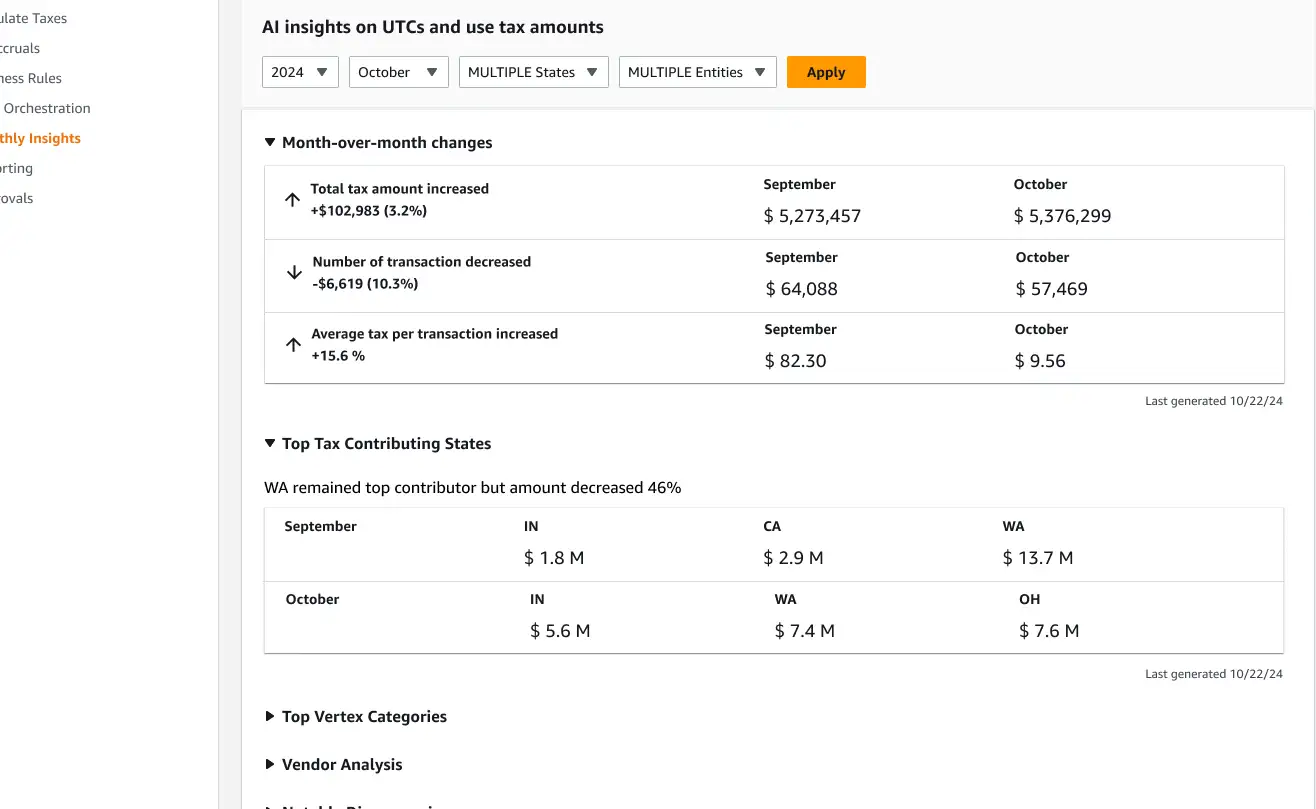
USER FEEDBACK
Insights and trends needed to be presented as distinct sections.
DESIGN RESPONSE
Built two separate sections with flexible layout options.
IMPLEMENTING
Preparing for build
Activities
Reviewed final designs with stakeholders and obtained sign-off.
Finalized specifications with engineering and QA.
DELIVERABLES
Scoping — now vs. later
Determined what could and should be built within the upcoming sprint versus deferred to a future phase.
Design updates
Added annotations as a build specification.
Added screen flows to provide workflow context for the development team.
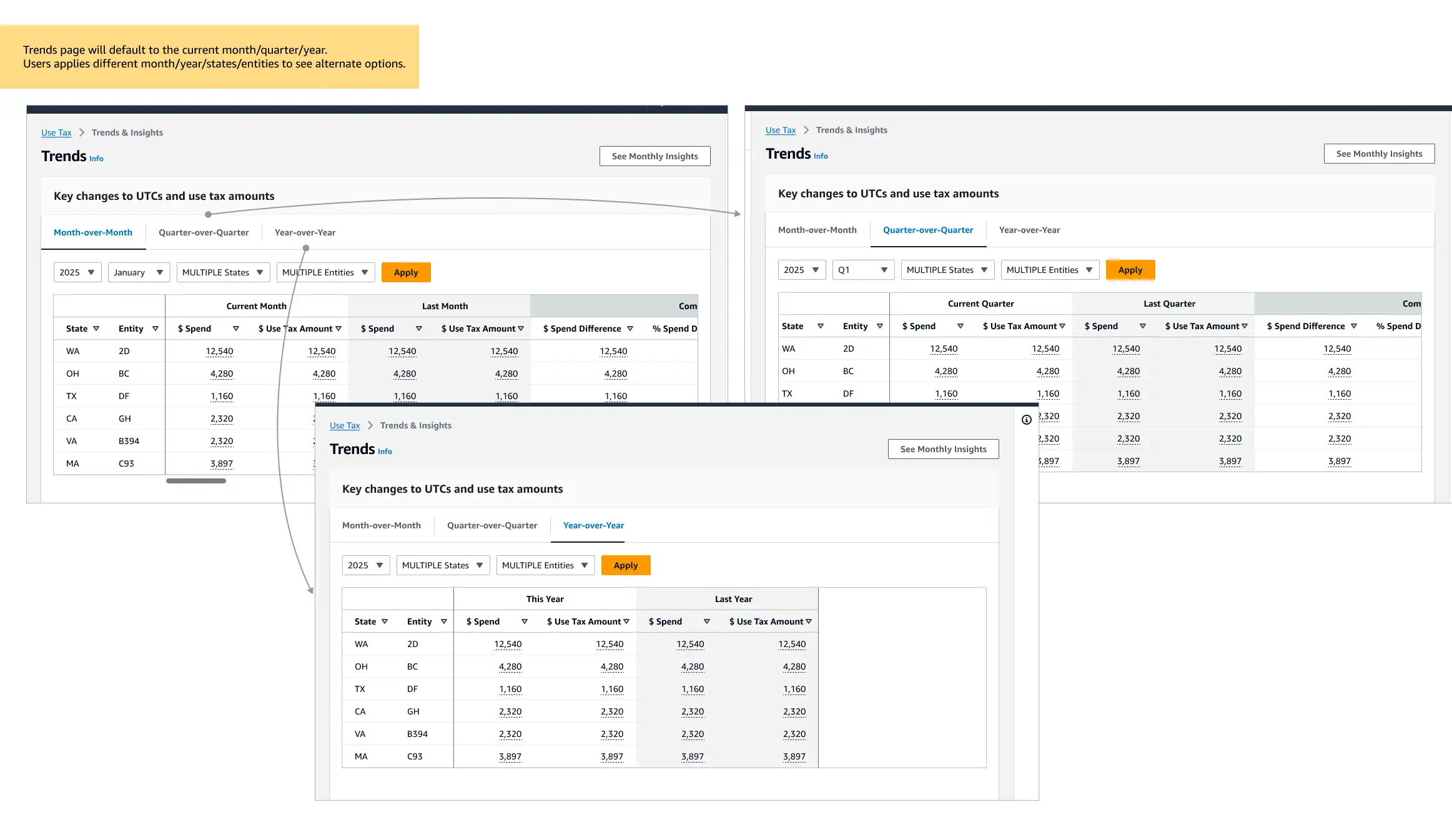
Specification documentation
Documentation served as a shared reference for what was being implemented and why.
RETROSPECTIVE
Lessons in alignment and risk mitigation
Roadmaps rarely unfold as planned. When requirements are underdefined, user validation often surfaces unexpected perspectives — causing pivots or rework on features already in development.
To get ahead of this, I proactively identified and voiced product risks early and often. Framing design decisions around user evidence made it easier to build consensus for speaking with users earlier in the process — before assumptions hardened into built features. This approach worked well during initial planning phases for MVPs, though it was harder to apply when enhancing an existing product.
Ask questions early, listen carefully to what the team brings to the table, and surface risk before it becomes rework.